
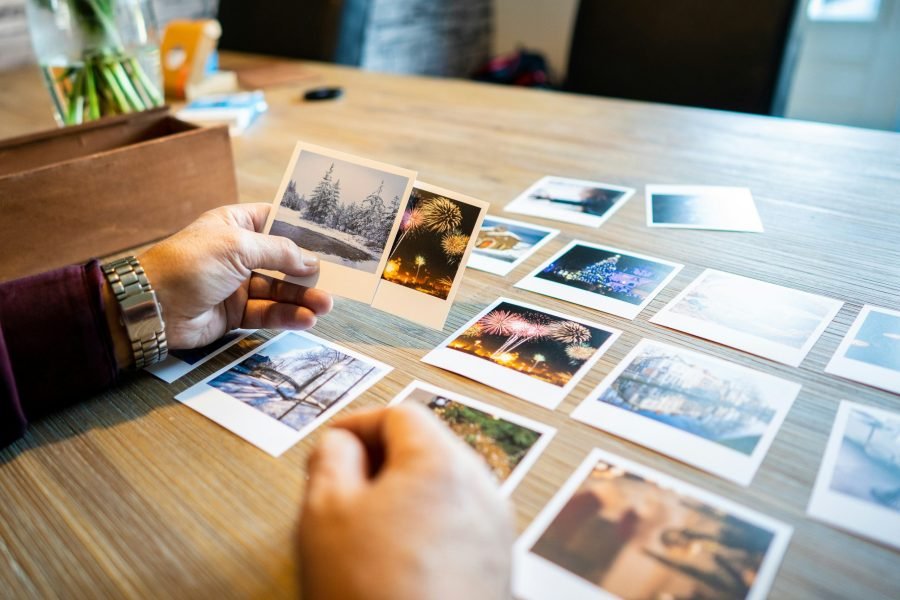
Your website is often the very first impression potential customers have of your business. Before they read your headline, learn about your services, or contact you, they notice your images. Within seconds, visitors make judgments about your professionalism, credibility, and attention to detail based largely on what they see.
For many small businesses, photography is an afterthought. A website may feature a few smartphone snapshots, outdated team photos, or generic stock images that could belong to almost any company. While these choices may seem harmless, they can significantly reduce customer trust and lower conversion rates.
Choosing the right images isn’t simply about making a website look attractive. It’s about communicating your brand, telling your story, building confidence, and helping visitors understand why they should choose your business over a competitor.
This guide explains how to select photographs that strengthen your brand and improve your website’s effectiveness.
Humans process images much faster than text. Visitors begin forming opinions about a website almost immediately, and photography plays a major role in that first impression.
High-quality images can:
Increase trust
Make your business appear more professional
Help explain products and services
Create emotional connections
Keep visitors engaged longer
Improve conversion rates
Reinforce your brand identity
Poor photography can have the opposite effect.
Images that are blurry, poorly lit, stretched, outdated, or obviously generic can make even an excellent business appear inexperienced.
Nothing builds credibility like authentic photography.
Visitors can often recognize stock photography immediately. Images of overly enthusiastic office workers pointing at computer screens or perfectly smiling families rarely feel genuine.
Instead, show your actual business.
Examples include:
Your storefront
Your office
Your workshop
Your staff
Your equipment
Products being used
Projects you’ve completed
Happy customers (with permission)
Real photography tells visitors:
“This is who we really are.”
Authenticity builds trust far more effectively than perfection.
Hiring a professional photographer is one of the best investments a small business can make.
Professional photographers understand:
Composition
Lighting
Color balance
Perspective
Branding
Editing
Image optimization
A single professional photo session can provide enough material for:
Website pages
Social media
Marketing brochures
Business cards
Advertisements
Email newsletters
Press releases
The cost often pays for itself by making your business appear more established and trustworthy.
Customers like doing business with people, not faceless companies.
Whenever possible, include photographs of:
Employees
Owners
Technicians
Customer service staff
Sales representatives
Designers
Tradespeople
Natural expressions are always better than forced smiles.
Images showing people actively working often communicate competence much better than formal portraits.
Examples include:
A mechanic repairing a vehicle
A baker decorating cakes
A consultant meeting with clients
A carpenter building furniture
A dentist treating patients
A florist arranging bouquets
Action creates interest.
Today’s monitors, tablets, and smartphones display images with exceptional clarity.
Small, pixelated images immediately reduce the perceived quality of your website.
Whenever possible:
Use high-resolution originals.
Export optimized web versions.
Maintain sharpness.
Avoid screenshots.
Never enlarge tiny images.
Modern image formats like WebP provide excellent quality while keeping file sizes small.
Consistency helps create a professional appearance.
Try to maintain:
Similar lighting
Similar editing style
Similar color temperature
Similar contrast
Similar framing
Similar backgrounds
If half your website contains warm, vibrant images while the other half contains cool, muted photographs, your site may feel disjointed.
Consistency reinforces your brand identity.
Every business has its own personality.
A law firm should project confidence and professionalism.
A children’s toy store should feel bright, energetic, and playful.
A luxury spa should communicate calmness and elegance.
Photography should reflect that personality.
Ask yourself:
“What feeling should visitors experience when they see these images?”
Your answer should influence every image you choose.
Stock photography isn’t always bad.
Sometimes it fills important gaps.
However, avoid images that appear:
Artificial
Overly staged
Unrealistic
Overused
Emotionally disconnected
Many visitors have seen the same stock images hundreds of times.
Instead, choose stock photography that looks natural and authentic.
Even better, combine carefully selected stock photos with your own photography.
If you sell products, photography becomes even more important.
Customers want to examine items before purchasing.
Include:
Multiple angles
Close-up details
Lifestyle photos
Scale references
Packaging
Color options
Product in use
Good product photography reduces uncertainty.
Less uncertainty often leads to more sales.
For service businesses, before-and-after photography can be incredibly persuasive.
Examples include:
Landscaping
Home renovations
Painting
Cleaning
Dentistry
Roofing
Auto detailing
Interior design
Always:
Use identical angles
Similar lighting
Honest editing
Accurate representation
Never exaggerate results through manipulation.
Rather than displaying random images, think about storytelling.
A visitor should understand your business simply by scrolling through your photos.
Consider showing:
The problem.
Your process.
Your team.
The finished result.
Happy customers.
This visual journey helps visitors connect emotionally with your business.
Your photography should represent the customers you serve.
Include people of different:
Ages
Backgrounds
Abilities
Occupations
Families
Authentic diversity makes your business feel more welcoming and relatable.
Avoid diversity that feels forced or artificial.
Businesses evolve.
Staff changes.
Products improve.
Locations change.
Old photography can create confusion.
Schedule periodic updates to keep your website current.
Even replacing photographs every two or three years can make a website feel significantly fresher.
Every photograph should have a purpose.
Ask yourself:
“What information does this image add?”
If the answer is “none,” consider removing it.
Images should reinforce the accompanying message rather than simply filling empty space.
Beautiful images are useless if they slow your website.
Large image files can dramatically increase page loading times.
Before uploading:
Resize images appropriately.
Compress files.
Use WebP when possible.
Avoid unnecessarily large dimensions.
Enable lazy loading where appropriate.
Fast websites create better user experiences and may also improve search engine rankings.
Many visitors will view your website on a smartphone.
Check that images:
Crop properly
Remain readable
Display important subjects
Load quickly
Don’t hide critical details
Responsive images ensure a consistent experience across all screen sizes.
Photography should be accessible to everyone.
Include descriptive alternative (alt) text for important images.
Good alt text:
Describes the image clearly
Explains relevant context
Helps screen reader users
Improves accessibility
Can support search engine optimization when used naturally
For example:
Instead of:
“image123.jpg”
Use:
“Owner assisting a customer inside the bakery.”
Never copy images from search engines or competitors’ websites.
Use only images that you:
Created yourself
Purchased legally
Licensed appropriately
Received permission to use
Copyright violations can result in legal issues and financial penalties.
Keep records of licenses and permissions for all images used on your site.
Photo editing should enhance reality—not distort it.
Basic adjustments may include:
Brightness
Contrast
White balance
Cropping
Minor retouching
Color correction
Avoid excessive filters, oversaturation, or heavy manipulation that makes images appear unnatural.
Authenticity is far more persuasive than perfection.
Customer photographs can provide powerful social proof.
Examples include:
Clients using your products
Finished installations
Event photos
Testimonials accompanied by portraits
Always obtain written permission before publishing identifiable customer photos.
Rather than selecting images one at a time, think of your photography as a complete collection.
Create a library containing:
Hero banner images
Team portraits
Office photos
Product photos
Lifestyle images
Process photos
Detail shots
Customer interactions
Seasonal updates
Having a well-organized image library makes future website updates, social media posts, and marketing campaigns much easier.
Many small businesses unintentionally weaken their websites by making avoidable photography mistakes, such as:
Using blurry images
Stretching photos out of proportion
Mixing vastly different image styles
Relying entirely on generic stock photography
Displaying outdated team members
Uploading enormous files that slow the site
Using images without proper licensing
Cropping important details
Forgetting mobile users
Neglecting accessibility
Avoiding these pitfalls can dramatically improve your site’s overall appearance and effectiveness.
The photographs on your website are far more than decoration—they are an essential part of your brand. They communicate professionalism, personality, and trustworthiness before a visitor reads a single sentence.
By investing in authentic, high-quality images that accurately represent your business, you create a stronger connection with potential customers and make it easier for them to feel confident choosing your products or services.
Take the time to build a consistent, well-organized visual identity. Update your images regularly, optimize them for performance, and ensure they align with your brand’s values and message. Thoughtfully selected photography can transform an ordinary website into a compelling online presence that encourages visitors to stay longer, engage more deeply, and ultimately become loyal customers.